Innovating Crypto with J2++’s Endless Cycle Engine
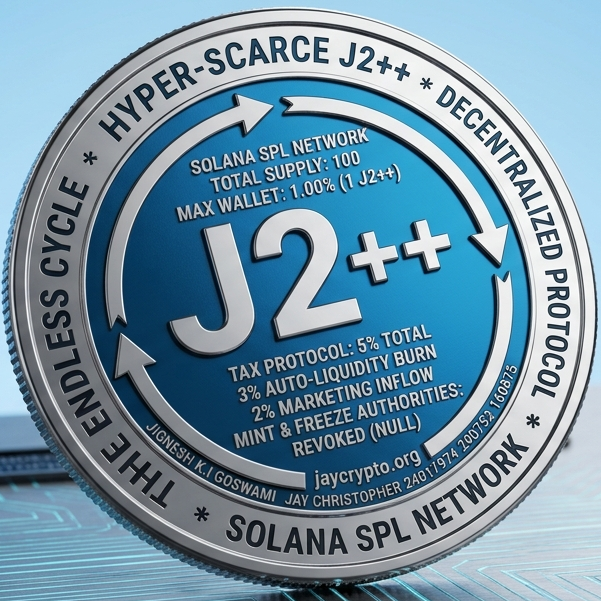
Designed to resist whale dominance, J2++ uses wallet and transaction limits, plus a 5% tax mechanism, creating self-sustaining liquidity and marketing funds with all LP tokens burned and premium certified branding.
100
Total Tokens
J2++ features a hyper-scarce supply limited to just 100 tokens, making ownership exclusive and valuable. Built on transparent, auditable structural registries.
💼 Co-Founder Registry: Jignesh K.i goswami & Jay Christopher
📋 Validation Ledger Code: 24011974 290752 160875
Trade fractional units down to 6 decimals right now on Raydium!
Experience a hyper-scarce ecosystem powered by autonomous Token-2022 market mechanics. 🛡️ IMMUTABLE ON-CHAIN PARAMETERS: • 💎 Total Supply: Exactly 100 Tokens (Divisible to 6 Decimals) • 🔒 LP Status: 100% BURNED FOREVER • 🚫 Authority Status: Mint & Freeze Privileges PERMANENTLY REVOKED 🐋 ALGORITHMIC ANTI-WHALE CEILINGS: • Max Transaction Limit: 0.50 J2++ (Prevents single trade dumps) • Max Wallet Capacity: 1.00 J2++ (Enforces absolute decentralization) *If your transaction fails, ensure your wallet swap slippage is set to 5.5% - 6% to accommodate the tax flywheel!* 🔄 THE 5% SMART TAX LOOP: Every single swap automatically triggers a 3% Auto-Liquidity pump straight into the Raydium pool to solidify the price floor, and a 2% Marketing and Administration inflow to fuel continuous volume maintenance. 📋 VERIFIED REGISTRY SIGNATURES: • Founders: Jignesh K.i goswami & Jay Christopher • Ledger Codes: 24011974 290752 160875 🛒 Mint Address: [Insert Your Solana Token Mint Address Here] 📊 DEX Screener Chart: [Insert Your Live DEX Screener Chart Link Here] 🌐 Web Architecture: https://jaycrypto.org Welcome to the ultimate self-deepening digital commodity. Trade your fractions
5%
Swap Tax Rate
The 5% swap tax imposed on all swap transactions fuels autobliquidity pools and funds passive marketing efforts.
100%
LP Tokens Burned
Jaychripto.org guarantees safety by burning 100% of LP tokens, preventing liquidity extraction risks.
J2++ Token Highlights and Innovation
Experience a unique token with controlled scarcity, anti-whale features, and a growth engine that supports price stability.
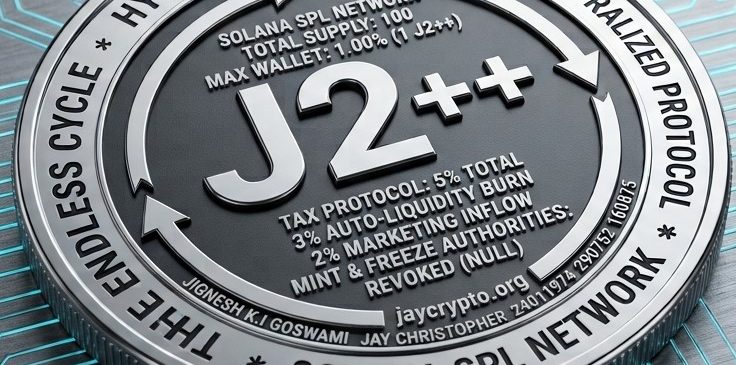
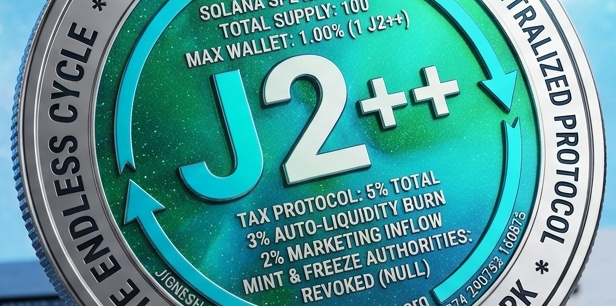
Anti-Whale Mechanics
Strict limits on wallet holdings and transactions protect fairness.
Join the Exclusive J2++ Token Community
J2++ Official Trading & User Guide
How to Securely Buy, Hold, and Sell the Flywheel
Welcome to J2++, a hyper-scarce digital commodity engineered on the Solana blockchain. Because our token features a unique 100-supply design, a 5% automated tax flywheel, and strict anti-whale guardrails, please follow this manual exactly to ensure your buys and sells execute smoothly.
Step 1: Set Up and Fund a Solana Wallet
To hold and trade J2++, you must use a non-custodial Solana Web3 wallet.
- Download a Wallet: Install the official Phantom Wallet or Solflare app or browser extension.
- Secure Your Backup: Write down your 12-word Seed Phrase on paper and store it safely offline. Never share this phrase with anyone.
- Add Funds: Purchase Solana (SOL) on a secure exchange (like Binance, Coinbase, or Kraken) and withdraw it directly to your Phantom wallet address. You will use this SOL to buy J2++ and cover microscopic network transaction fees.
🛒 Step 2: How to BUY J2++ Fractions
Because our total supply is capped tightly at 100 tokens, a single J2++ token is highly valuable. You do not need to buy a whole token. Our contract supports 6 decimals, meaning you can buy tiny fractions (like 0.005 J2++) for just a few dollars.
- Copy the Official Address: Copy the verified J2++ contract address pinned at the top of this channel or displayed on jaycrypto.org.
- Connect to Raydium: Go to the official Raydium Swap Page. Click "Connect Wallet" in the top-right corner.
- Import J2++: Click the token dropdown menu in the "To" section, paste the J2++ contract address, and click "Import".
- ⚠️ Adjust Your Slippage: Click the gear icon (Settings) on Raydium. Change your slippage tolerance to 5.5% or 6.0%. If you leave it at the standard 0.5%, your trade will fail because it cannot process the 5% smart ecosystem tax.
- Execute the Swap: Enter how much SOL you want to spend, click Swap, and confirm the transaction in your Phantom pop-up. Your J2++ fractions will appear in your wallet instantly!
📉 Step 3: How to SELL J2++ Fractions
When you are ready to take profits and cash out your J2++ fractions back into liquid SOL or USDC stablecoins, the process is completely identical but reversed:
- Go to Raydium Swap: Ensure your wallet is connected and your slippage settings remain locked at 5.5% to 6.0%.
- Flip the Token Pair: Click the middle arrow icon on the swap interface so that J2++ is at the top (From) and SOL or USDC is at the bottom (To).
- Enter the Amount: Input the fraction you wish to sell (e.g., 0.02 J2++).
- Execute the Sell: Click Swap and approve the transaction. The decentralized liquidity pool will instantly absorb your tokens and drop the cash directly into your wallet.
🐋 Step 4: Adhering to the Anti-Whale Caps
If your buy or sell transaction fails even with the correct 6% slippage, you are likely breaking our hard-coded on-chain security guardrails:
- The Transaction Cap (0.5%): You cannot buy or sell more than 0.50 J2++ tokens in a single trade. If you want to buy 0.80 J2++ total, you must split it into two separate trades of 0.40 J2++ each.
- The Wallet Cap (1%): A single wallet address can never hold more than 1.00 J2++ token total. If you already own 1.00 J2++ and try to buy a single fraction more, the Solana network will physically block the trade to keep the ecosystem decentralized.
📊 Track Live Charts & Liquidity: Search our contract address on DEX Screener to watch the 3% auto-liquidity tax continuously thicken our permanent price floor in real-time!
Reach out to discuss token acquisition, partnerships, or technical questions.
Telephone:
E-mail:
Address: